
How to Run Cabling for Cameras Without Ruining Your Walls
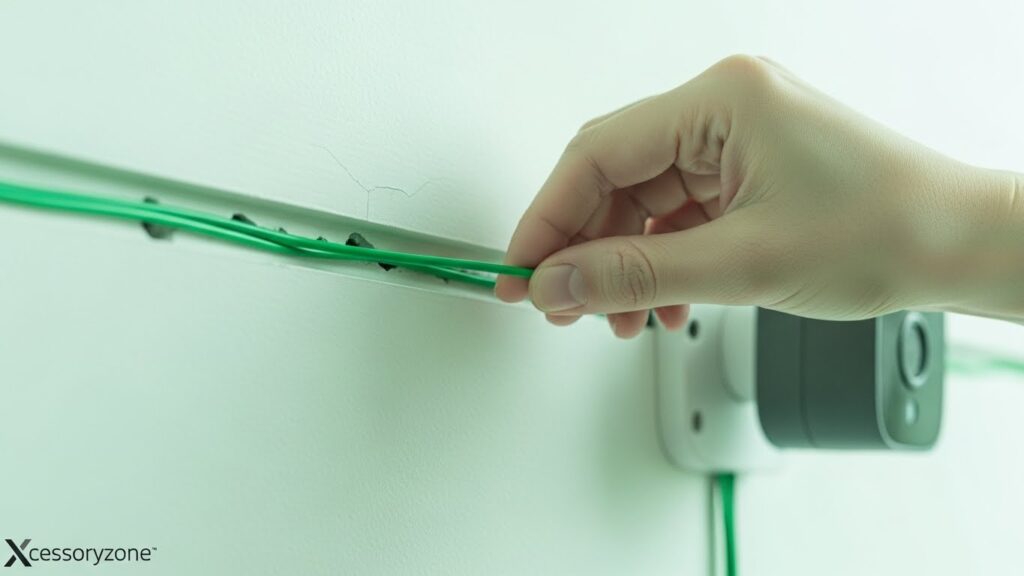
Installing security cameras is a smart move, but running cables often feels like the hardest part. Many people worry about drilling holes, damaging paint, or ending up with ugly wires running across their walls. The good news is that you can install camera cabling cleanly and neatly without tearing your home apart.
With a little planning and the right techniques, you can keep your walls intact and still get a professional-looking camera setup. This guide explains how to do it in a simple, practical way.
Table of Contents
Start With a Clear Plan
Before you pick up a drill or cable, take time to plan everything. Rushing into installation is the main reason walls get damaged.
Walk around your home and decide:
- Where each camera will be placed
- Where the power source or recorder is located
- The shortest and cleanest cable route
Sketching a basic layout on paper can help you avoid mistakes and unnecessary holes.
Take Advantage of Existing Openings
One of the best ways to protect your walls is to avoid drilling new holes whenever possible.
Look for existing pathways such as
- Attics or basements
- Gaps near electrical outlets
- Window and door frames
- Air vents or cable entry points
These areas often allow you to run cables discreetly without any wall damage. Many professional installers rely on these same shortcuts.
Hide Cables Along Baseboards and Corners
Baseboards and wall corners are ideal for hiding camera cables. Wires naturally blend into these areas and are rarely noticed.
To keep things tidy, use:
- Adhesive cable clips
- Plastic cable raceways
- Paintable wire covers
Cable raceways are especially effective because they can be painted the same color as your wall, making the cables almost invisible.
Run Cables Inside Walls Carefully
If you need to run cables inside a wall, do it slowly and carefully. There’s no need to cut large holes.
A fish tape or cable rod lets you guide wires through wall cavities using small entry points. Usually, a small hole behind the camera mount and another near the power source are enough.
Always check for electrical wiring or plumbing before drilling to avoid serious damage.
Use the Ceiling for Cleaner Results
In many cases, running cables through the ceiling is easier than using walls. Attics and drop ceilings provide plenty of space to hide wires completely.
From the ceiling, you can drop the cable straight down behind the camera, keeping everything out of sight. This method works especially well for outdoor and upper-level cameras.
Choose the Right Cables
Using the correct type of cable makes installation cleaner and safer.
For example:
- Flat cables are easier to hide under trim.
- Ethernet cables are ideal for PoE camera systems.
- Outdoor-rated cables prevent weather damage.
Cheap or stiff cables can crack or kink, leading to future repairs that may damage walls more than the original installation.
Secure and Protect Your Cables
Loose cables not only look messy but also can wear out faster. Secure cables every few feet using clips or raceways.
For outdoor runs, use weatherproof conduit to protect against rain, heat, and pests. Proper protection ensures your system lasts longer and looks professional.
Common Mistakes to Avoid
Wall damage usually happens because of small mistakes, such as
- Drilling without checking for wires or pipes
- Using nails instead of proper cable clips
- Leaving cables loose or hanging
- Running cables near heat sources
Taking extra care during installation can save you from costly repairs later.
When to Call a Professional
If your home has concrete walls, complex layouts, or limited access points, professional installation may be worth considering. A trained installer can route cables cleanly with minimal impact on your walls.
Sometimes spending a little more upfront saves time, stress, and repair costs.
Final Thoughts
Running camera cabling doesn’t have to ruin your walls. With careful planning, smart routing, and the right tools, you can install a clean and reliable security system without damaging your home.
A neat installation not only looks better but also improves the performance and lifespan of your cameras. Take your time, plan ahead, and your walls will thank you.